Blog List
Milestones that shaped our growth and success over the years
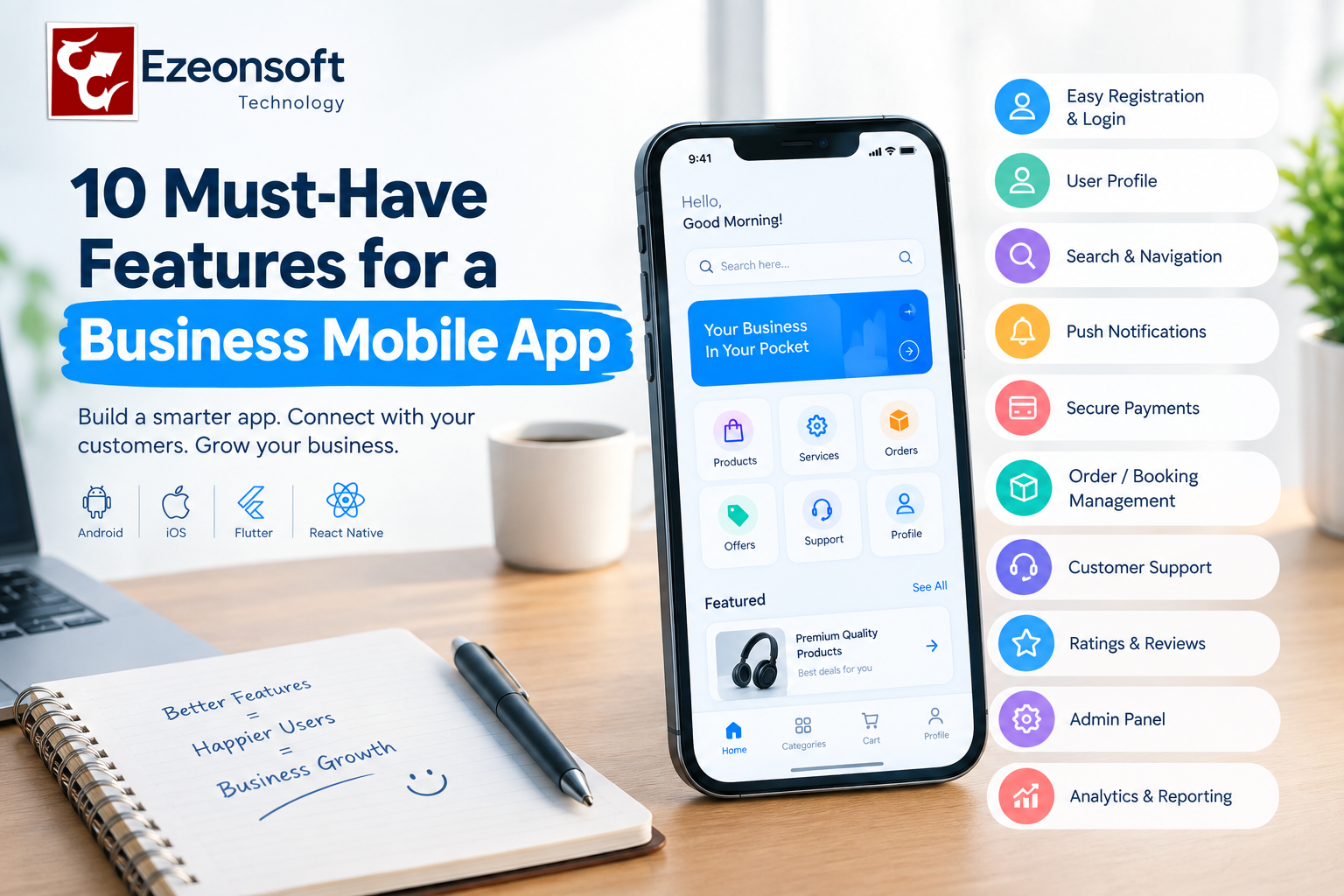
A business mobile app can do much more than simply provide a digital version of a website. A well-planned mobile application can help businesses communicate with customers, manage orders, provide services, accept payments and build long-term customer relationships.
But what features should a business mobile app have?
The answer depends on the type of business, target customers and business model. However, several features are commonly useful across e-commerce, service, healthcare, education, delivery and other business applications.
Here are 10 important features to consider when developing a business mobile app.
1. Easy User Registration and Login
The registration process should be simple and convenient.
Depending on the application, businesses may provide:
- Mobile number login
- Email login
- Password authentication
- OTP verification
- Social login
The goal is to make account creation easy without collecting unnecessary information.
2. User Profile
A user profile allows customers to manage their personal information from one place.
Depending on the business, it can include:
- Name
- Phone number
- Email address
- Profile image
- Saved addresses
- Preferences
- Order history
- Payment information
The profile structure should be designed according to the actual requirements of the business.
3. Search and Easy Navigation
Customers should be able to find products, services or information quickly.
A business app may include:
- Search
- Categories
- Filters
- Sorting
- Recommendations
- Location-based discovery
Simple navigation can make the overall user experience easier.
4. Push Notifications
Push notifications allow businesses to communicate directly with app users.
They can be used for:
- Order updates
- Booking confirmations
- New products
- Offers
- Reminders
- Important announcements
- Service updates
Notifications should be useful and relevant rather than excessive.
5. Secure Payments
For applications that sell products or services, payment functionality can be an important feature.
Depending on the market and business model, an app may support:
- UPI
- Credit and debit cards
- Net banking
- Wallets
- Payment gateways
- Cash on delivery where applicable
Payment implementation should consider security, reliability and the requirements of the selected payment provider.
6. Order or Booking Management
The required management system depends on the type of business.
For an e-commerce app, customers may need:
- Cart
- Checkout
- Order tracking
- Order history
- Cancellation
- Returns
For a service app, users may instead need:
- Service selection
- Booking
- Date and time slots
- Booking status
- Service history
- Cancellation
The feature set should match the business workflow.
7. Customer Support
Customers may need help before, during or after using the service.
A business app can provide:
- Help center
- FAQs
- Contact support
- Chat support
- Support tickets
- Call support
Good customer support can also help businesses identify recurring problems.
8. Ratings and Reviews
For many businesses, ratings and reviews provide useful feedback and help customers understand products or services.
Depending on the application, users may be able to:
- Rate a product
- Review a service
- Rate a delivery
- Provide feedback
Businesses can use this information to identify areas that need improvement.
9. Admin Panel
A mobile application usually needs a backend or admin panel for business operations.
An admin panel may allow authorized staff to manage:
- Users
- Products
- Services
- Orders
- Bookings
- Payments
- Notifications
- Reports
- Content
For larger applications, separate panels may be required for customers, vendors, delivery partners, doctors, service providers or other users.
10. Analytics and Reporting
Analytics can help businesses understand how their application is performing.
Depending on the business model, useful information can include:
- User registrations
- Active users
- Orders
- Bookings
- Revenue
- Product performance
- Conversion rates
- Feature usage
These insights can support better business and product decisions.
What Other Features Does a Business App Need?
The 10 features above are a starting point, not a universal checklist.
A grocery delivery app may need delivery tracking and inventory management.
A doctor consultation app may require doctor profiles, appointment scheduling, video consultation and prescription management.
A home-service app may require service-provider profiles, location tracking, booking slots and job management.
An education app may need courses, lessons, assessments and student dashboards.
Therefore, business mobile app features should be selected according to the business model and user journey.
How to Choose Features for Your Business App
Before development begins, define:
- Who will use the app?
- What problem will the app solve?
- What is the main user action?
- What will the business manage from the backend?
- What payment or third-party integrations are required?
- What information needs to be stored?
- What reports does the business need?
- Which features are essential for the first version?
Starting with the essential features can help businesses develop a practical first version and then add advanced functionality based on user feedback.
Mobile App Development with Ezeonsoft Technology
Ezeonsoft Technology provides mobile app development and custom software development solutions for businesses and startups.
Depending on the project, Ezeonsoft can work on:
- Android App Development
- iOS App Development
- Flutter App Development
- React Native and hybrid applications
- Business and startup apps
- E-commerce apps
- Food delivery apps
- Cab booking apps
- School and college apps
- Doctor consultation apps
- Medicine delivery apps
- Custom business software
- CRM and ERP solutions
- Pandit ji booking Apps
- Dating & Meeting apps
- Custom mobile app
- much more according your idea based apps
The features, technology stack and development process can be customized according to the business requirements.
Frequently Asked Questions
What are the must-have features of a business mobile app?
Common features include user registration, profiles, search, notifications, payments, order or booking management, customer support, reviews, an admin panel and analytics. The exact requirements depend on the business.
How much does it cost to develop a business mobile app?
There is no single price for every business app. Development cost depends on the number of features, platforms, UI/UX requirements, backend, integrations, technology and project complexity. At Ezeonsot, you can get your mobile app developed at an affordable price. Basic business apps start from ₹70,000, with the final cost depending on your specific requirements.
Should a business app have an admin panel?
Most business applications need some form of backend management system. The admin panel allows authorized staff to manage users, content, orders, bookings, payments and other business operations.
Should I build an Android and iOS app?
The choice depends on your target customers, budget and business requirements. Businesses can choose native Android/iOS development or cross-platform technologies such as Flutter or React Native. You can start your business using android app and after market feedback start your business operation in iOS app.
Can features be added after the app is launched?
Yes. Many applications start with essential features and add new functionality after launch based on user feedback, analytics and changing business requirements and also getting market feedback to add or update your featuers in your mobile app.
Conclusion
The best business mobile app is not necessarily the one with the largest number of features. It is the one that provides the right features for its users and business workflow.
Before starting development, identify the core problem, understand your users and prioritize the features that directly support your business goals.
If you are planning a business mobile app, startup app or custom software, Ezeonsoft Technology can help you plan and develop a solution based on your business requirements. you can call to team Ezeonsoft Technology for more info.
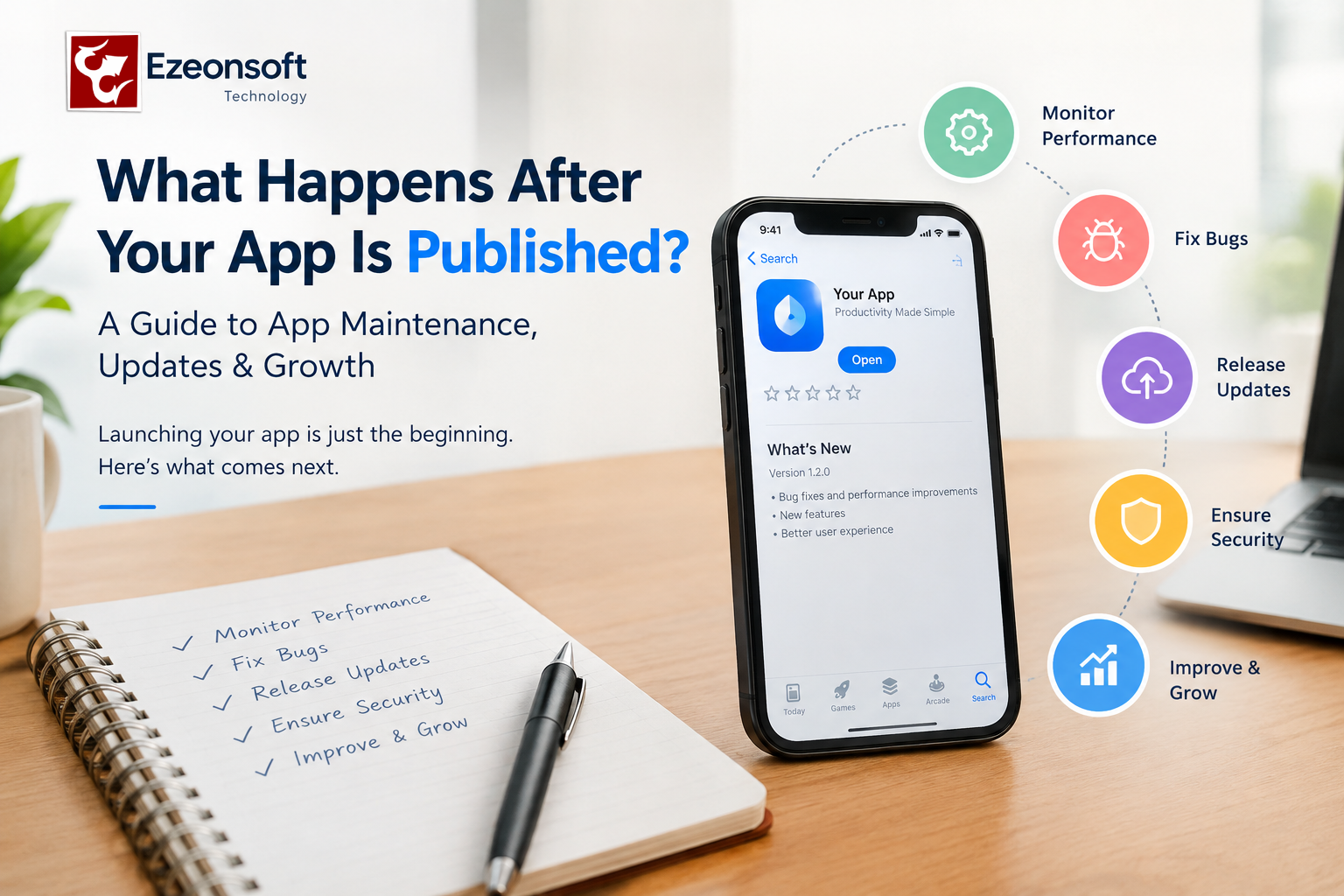
Publishing a mobile app is not the end of app development. It is the beginning of the next stage: maintenance, monitoring, updates, security, performance optimization, and continuous improvement.
Many businesses focus on building and launching an Android or iOS app but do not plan for what happens after the app is published. A successful app needs regular attention to remain secure, fast, compatible with new devices and useful for its customers.
If you are planning to build a mobile app for your business, understanding the post-launch process can help you plan your development and maintenance budget more effectively.
What Happens After a Mobile App Is Published?
After an app is published on platforms such as Google Play or the Apple App Store, the development process continues.
Here are some of the most important activities that may be required after launch.
1. Monitor App Performance
The first step after launch is monitoring how the application performs in real-world conditions.
Developers may monitor:
- App crashes
- Slow screens
- API response times
- Server performance
- Login and registration problems
- Payment failures
- Database performance
- User activity
Real users can reveal problems that were not visible during development and testing.
2. Fix Bugs and Technical Issues
Even after extensive testing, some bugs may appear after an app reaches real users.
For example, an issue may occur only on a particular device, operating system version, network condition, or user flow.
Regular bug fixing helps maintain a reliable user experience.
3. Release App Updates
Mobile operating systems, devices and third-party services continue to change.
Your app may need updates for:
- New Android versions
- New iOS versions
- New smartphones and tablets
- API changes
- Payment gateway updates
- Security requirements
- Third-party SDK updates
Regular updates can help keep the application compatible with the technology ecosystem.
4. Improve App Speed and Performance
An app that becomes slow can negatively affect the user experience.
Performance optimization may involve checking:
- API response time
- Database queries
- Image sizes
- Network requests
- Application memory usage
- Unnecessary rendering
- Backend processing
Before increasing server capacity, it is important to identify the actual performance bottleneck.
5. Maintain App Security
Security should continue after launch.
Depending on the application, maintenance can include:
- Security updates
- Dependency updates
- Authentication improvements
- Access-control reviews
- Secure API communication
- Data protection
- Monitoring unusual activity
The security requirements of a banking app, healthcare app, e-commerce app and simple business app may be very different, so maintenance should be based on the application's actual risks.
6. Maintain the Backend and APIs
A mobile application often depends on backend servers, APIs and databases.
If the backend becomes unavailable or an API changes, the mobile application may stop working correctly.
Post-launch maintenance can therefore include:
- API maintenance
- Server monitoring
- Database optimization
- Backup management
- Error monitoring
- Server configuration
- Scalability planning
7. Listen to User Feedback
Users can provide valuable information about what should be improved.
Feedback can help identify:
- Missing features
- Difficult navigation
- Confusing screens
- Frequently requested functionality
- Problems with the checkout process
- Customer support issues
The next app update can then focus on improvements that provide real value to users.
8. Add New Features
A business application may start with a basic set of features and gradually expand.
For example, an e-commerce app might initially provide product browsing and ordering and later add:
- Loyalty programs
- Offers and coupons
- Subscription features
- Advanced notifications
- Multiple payment options
- Analytics
- Customer support
New features should be planned according to business requirements and user feedback.
9. Track Business and User Analytics
Analytics can help a business understand how people use its application.
Important metrics may include:
- New users
- Active users
- Retention
- Screen views
- Conversion rates
- Orders
- Abandoned actions
- Feature usage
These insights can help businesses decide what to improve next.
10. Plan for Scalability
An application that works well with 500 users may need a different architecture when it grows to 50,000 users.
As usage increases, businesses may need to review:
- Server capacity
- Database architecture
- API performance
- Caching
- Load balancing
- Cloud infrastructure
- Application architecture
Scalability should be considered before performance problems become business problems.
How Often Should a Mobile App Be Updated?
There is no single update schedule that works for every application.
The frequency depends on:
- Business requirements
- User feedback
- Operating-system changes
- Security requirements
- Bugs
- Third-party services
- New features
- Performance requirements
Some apps may require frequent updates, while others may need updates only when there is a technical or business requirement.
Is App Maintenance Necessary After Launch?
For most business applications, ongoing maintenance is an important part of the overall app lifecycle.
Building the application is one stage. Keeping the application secure, compatible, reliable and useful is an ongoing process.
A business should therefore consider app maintenance and support when estimating the total cost of mobile app development.
What Is Included in Mobile App Maintenance?
Depending on the project, mobile app maintenance may include:
- Bug fixing
- Performance optimization
- Android and iOS compatibility updates
- Backend and API maintenance
- Database maintenance
- Security updates
- Third-party integration updates
- Feature enhancements
- Server monitoring
- Technical support
The exact maintenance requirements depend on the application and its technology stack.
Mobile App Development and Maintenance with Ezeonsoft Technology
Ezeonsoft Technology provides mobile app development, website development and custom software development services for businesses and startups.
Depending on the project requirements, businesses can plan for Android app development, iOS app development, Flutter or React Native development, backend/API development, database integration and ongoing application support.
If you are planning a new business application, it is useful to think beyond the launch date and plan the complete application lifecycle—from idea and development to launch, maintenance, updates and future growth.
Frequently Asked Questions
What happens after an app is published?
After an app is published, businesses typically monitor performance, fix bugs, release updates, maintain APIs and servers, improve security, analyze user behavior and add new features when required.
Does a mobile app need maintenance after launch?
Yes, ongoing maintenance is commonly required to address bugs, security issues, operating-system changes, third-party service changes and new business requirements.
How often should a mobile app be updated?
There is no fixed schedule. Updates should be released when they are needed for bug fixes, security, compatibility, performance improvements or new features.
How much does mobile app maintenance cost?
The cost depends on the application's complexity, technology, backend infrastructure, number of integrations, support requirements and frequency of updates but in Ezeonsoft we provide 1 year free maintenance for your android & ios app.
Can an app be improved after it is published?
Yes. Businesses can continue improving an application by analysing user feedback, performance data and business requirements and then releasing new versions.
Conclusion
Publishing your app is not the finish line. It is the start of the app's ongoing lifecycle.
Monitoring, maintenance, security, performance optimization, updates, user feedback and scalability all contribute to keeping a business application useful over time.
If you are planning a mobile app, consider not only how much it costs to build an app, but also what will be required to maintain and grow it after launch.
Ezeonsoft Technology can help businesses and startups with mobile app, website and custom software development requirements.
Category: Mobile App Development, Astrology Technology, Spiritual Business Solutions
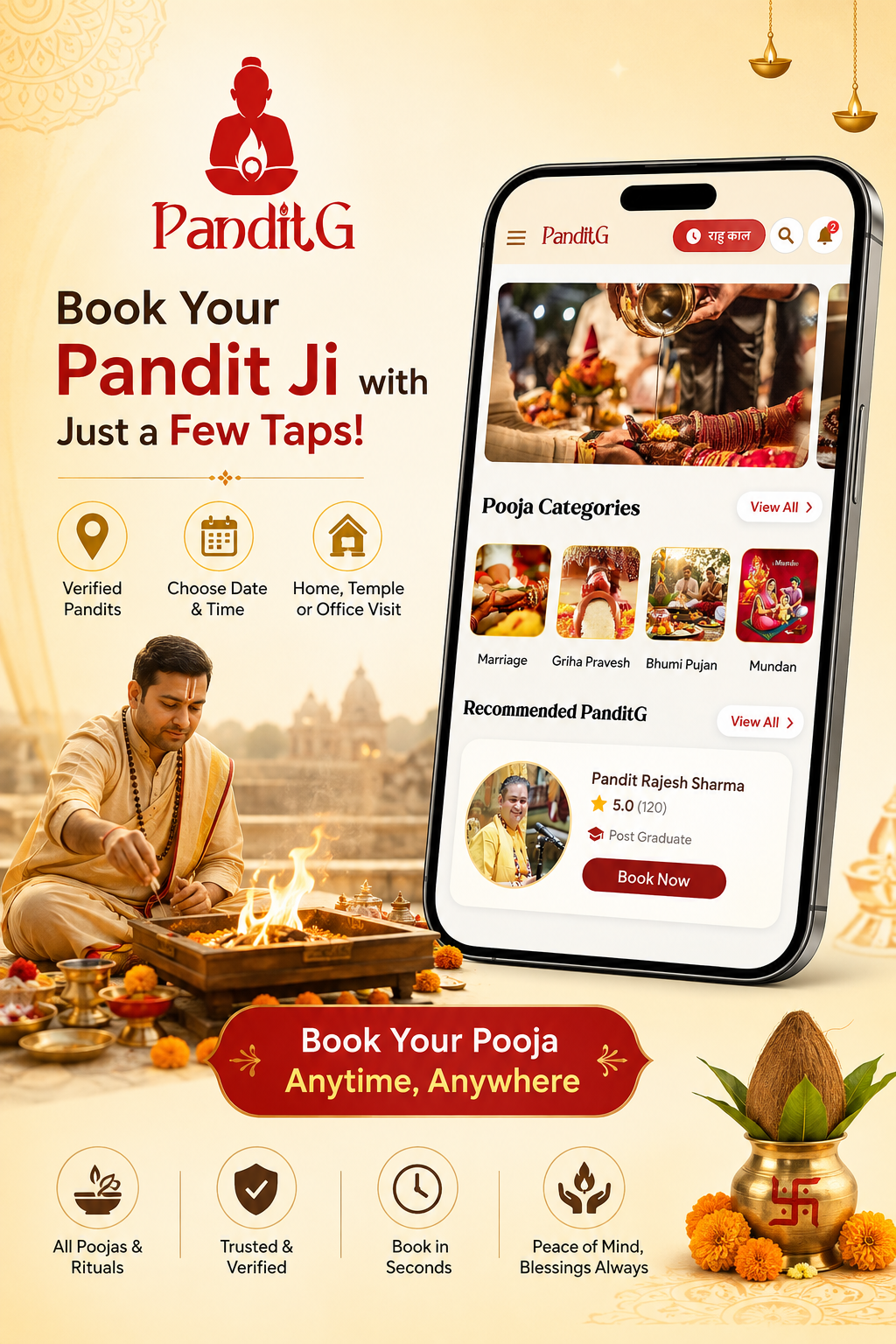
The way people access astrology, spiritual services and religious services is changing. Customers increasingly expect to discover astrologers, consult experts, generate Kundali, book Pandits and schedule services through their smartphones.
For astrologers, Pandits, spiritual organizations and astrology startups, a dedicated mobile application can bring these services together in one digital platform.
Published by: Ezeonsoft Technology
Ezeonsoft Technology develops customised Android, iOS, hybrid and cross-platform applications for businesses. Its mobile app development services can be adapted to different business models, including astrology, consultation, booking, e-commerce and other service-based applications.
Ezeonosft
What Is an Astrology App?
An astrology app is a mobile application that allows users to access astrology-related services digitally.
Depending on the business model, an astrology application can include features such as:
- Astrologer profiles
- Online consultation
- Chat and calling
- Video consultation
- Kundali generation
- Horoscope information
- Astrology content
- Appointment scheduling
- Online payments
- Notifications
- User accounts
- Ratings and reviews
- Subscription or wallet systems
The exact features depend on whether the application is designed for an individual astrologer, an astrology marketplace, a startup or a larger spiritual services platform.
Astrology App Development for Astrologers and Spiritual Businesses
An astrologer who currently manages appointments through phone calls or messaging can use a dedicated application to organize consultations and customer interactions.
A customized astrology application can provide separate interfaces for customers and astrologers.
Customer App
The customer side may include:
- Registration and login
- Astrologer search
- Astrologer profiles
- Availability status
- Consultation booking
- Chat
- Voice consultation
- Video consultation
- Payment
- Booking history
- Notifications
- Reviews and ratings
Astrologer Panel
The astrologer can manage:
- Profile information
- Consultation availability
- Booking requests
- Customer conversations
- Consultation history
- Earnings
- Availability schedule
- Notifications
This type of structure allows the business owner to create a digital ecosystem rather than depending entirely on manual booking.
What Features Should a Pandit Booking App Have?
A Pandit booking application needs to solve a practical problem: connecting customers with suitable religious service providers and managing bookings efficiently.
Depending on the business requirements, a Pandit booking app can include:
1. Pandit Profiles
Users can view information such as:
- Name
- Experience
- Location
- Languages
- Services offered
- Availability
- Consultation or service details
- Ratings and reviews
2. Service Categories
The application can organize services into categories such as:
- Puja
- Hawan
- Marriage-related rituals
- Griha Pravesh
- Religious ceremonies
- Astrology consultation
- Other customized spiritual services
The actual categories should be configured according to the business.
3. Location-Based Booking
Users can select their location and request a Pandit for a particular date and time.
This becomes particularly useful for businesses offering local or home-visit services.
4. Date and Time Scheduling
Customers can select an available date and time while Pandits can manage their schedules through their dashboard.
5. Online Payment
The application can integrate payment gateways so customers can pay online during the booking process.
6. Booking Management
Customers can see upcoming and previous bookings, while Pandits can accept, reject or manage service requests according to the business workflow.
7. Notifications
Push notifications can be used for:
- Booking confirmation
- Booking reminders
- Schedule changes
- Payment status
- New booking requests
How Does Home-Visit Pandit Booking Work?
A home-visit Pandit booking application works differently from a simple online consultation platform.
A typical workflow can look like this:
Customer selects service → enters location → selects date and time → chooses available Pandit → confirms booking → makes payment → receives confirmation → Pandit receives booking details.
The business can also introduce additional features such as:
- Location/address management
- Service radius
- Travel charges
- Availability calendar
- Booking status
- Customer contact information
- Cancellation rules
- Service completion status
For businesses operating in multiple cities, the application can also be designed with city, area or service-zone based management.
Online Consultation vs Home-Visit Pandit Booking
These are two different service models and can coexist in the same application.
| Feature | Online Consultation | Home Visit |
|---|---|---|
| Service location | Online | Customer's location |
| Scheduling | Appointment based | Date/time based |
| Main requirement | Chat/voice/video | Location + scheduling |
| Travel management | Not required | May be required |
| Payment | Online | Online/offline depending on business |
| Availability | Consultation slots | Service-area availability |
A business offering both services can create a single application with separate booking options.
What Features Are Needed in a Kundali App?
A Kundali application can be designed around birth details and astrology-related calculations.
Depending on the product requirements, a Kundali app may include:
- Name and profile
- Date of birth
- Time of birth
- Place of birth
- Kundali generation
- Horoscope information
- Planetary details
- Chart display
- Kundali matching
- PDF/report generation
- Saved Kundalis
- Consultation booking
- Astrologer consultation
- Notifications
If advanced astrological calculations are required, the technical implementation should be defined according to the calculation system, APIs or astrology engine being used.
This is important because a Kundali application is not simply a form-based mobile app; its functionality depends on the accuracy and capabilities of the underlying astrology calculation system.
Astro Talk and Astrology Consultation App
An Astro Talk platform can connect users with astrologers for consultations.
A typical platform may include:
User App
- Browse astrologers
- View profiles
- Check availability
- Start chat
- Voice consultation
- Video consultation
- Make payment
- View consultation history
Astrologer App/Panel
- Manage profile
- Set availability
- Accept consultations
- Manage sessions
- View earnings
- Receive notifications
Admin Panel
- Manage users
- Manage astrologers
- Manage bookings
- Manage payments
- Manage commissions
- Manage content
- Manage reports
This architecture can be customized depending on whether the business operates as a single-astrologer platform or a multi-astrologer marketplace.
How Can Astrologers Monetize an App?
The monetization model should match the services offered by the business.
Possible models include:
Paid Consultation
Users pay for a chat, voice or video consultation.
Appointment Booking
Customers pay for scheduled consultations or services.
Commission Model
A platform can charge a predefined commission on transactions between customers and service providers.
Subscription
Businesses can offer subscription-based access to selected features or content.
Premium Reports
Additional astrology reports, downloadable reports or specialized services can be offered as paid features.
Digital Services
A business may also offer other relevant digital products or services through the application.
The right model depends on the target customers, service pricing and operational structure.
Android vs iOS App Development: Which Should You Choose?
Android and iOS serve different device ecosystems, so the right development approach depends on your target customers, budget, features and long-term plans.
Android App
Android can be suitable when your target audience primarily uses Android smartphones.
iOS App
An iOS application can be useful when your customers include Apple device users.
Cross-Platform Development
Cross-platform technologies can allow businesses to build applications for multiple platforms using a shared development approach.
Ezeonsoft provides Android, iOS, hybrid and cross-platform mobile application development services.
Ezeonosft
The technology choice should be made after evaluating the application's features, performance requirements, integrations and future maintenance needs.
Why Is an Admin Panel Important?
A mobile application alone is not enough for a booking or marketplace business.
The admin panel acts as the control center of the platform.
For an Astrology or Pandit Booking application, an admin panel may manage:
- Users
- Astrologers
- Pandits
- Services
- Bookings
- Payments
- Commissions
- Availability
- Reviews
- Notifications
- Content
- Reports
- Promotional offers
A well-designed admin panel reduces manual work and gives the business a central place to manage its digital operations.
Payment Integration
Payment functionality is an important part of booking and consultation applications.
Depending on the business model, the application can support:
- Online payment
- Payment status tracking
- Booking confirmation
- Refund workflow
- Transaction history
- Wallet functionality
- Commission management
The exact payment gateway and implementation depend on the target market and business requirements.
Notifications and Booking Management
Notifications keep customers and service providers updated.
For example:
Customer receives:
“Your Pandit booking has been confirmed.”
Pandit receives:
“You have received a new booking request.”
Customer receives:
“Your consultation starts in 15 minutes.”
A centralized booking system can also maintain booking statuses such as:
Requested → Confirmed → In Progress → Completed → Cancelled
The workflow can be customized according to the business.
How Ezeonsoft Approaches Mobile App Development
Ezeonsoft describes its development process through stages including analysis, strategy, UI/UX, development/growth, testing, implementation and ongoing improvement.
Ezeonosft
A typical project can therefore begin with understanding the business model before development starts.
Step 1: Business Analysis
Understand the target users, services, competitors, business model and required features.
Step 2: Product Strategy
Define the application structure, user journeys and technical requirements.
Step 3: UI/UX Design
Design interfaces for customers, service providers and administrators.
Step 4: Development
Build the mobile application, backend services and required admin panel.
Step 5: Testing
Test functionality, usability, performance and important workflows.
Step 6: Deployment
Prepare the application for publishing and deployment on the required platforms.
Step 7: Maintenance and Improvements
Continue improving the product based on business requirements and user feedback.
What Can Ezeonsoft Build for Your Astrology Business?
Ezeonsoft can develop customized applications based on the business model rather than limiting the project to a predefined template.
Potential solutions include:
- Astrology App
- Kundali App
- Horoscope App
- Astro Talk App
- Astrologer Consultation App
- Online Pandit Booking App
- Home Visit Pandit Booking App
- Puja Booking App
- Spiritual Services App
- Religious Services App
- Appointment Booking App
- Android App
- iOS App
- Cross-Platform App
- Custom Business Application
Ezeonsoft's broader mobile and software development services also cover web applications, websites and custom software solutions.
Astrology App Development Is Not Limited to Astrology Businesses
The same technology architecture can be adapted to many other industries.
For example:
Commission Model
A platform can charge a predefined commission on transactions between customers and service providers.
Subscription
Businesses can offer subscription-based access to selected features or content.
Premium Reports
Additional astrology reports, downloadable reports or specialized services can be offered as paid features.
Digital Services
A business may also offer other relevant digital products or services through the application.
Android vs iOS App Development: Which Should You Choose?
Ezeonsoft provides Android, iOS, hybrid and cross-platform mobile application development services.
Why Is an Admin Panel Important?
A mobile application alone is not enough for a booking or marketplace business.
For an Astrology or Pandit Booking application, an admin panel may manage:
- Users
- Astrologers
- Pandits
- Services
- Bookings
- Payments
- Commissions
- Availability
- Reviews
- Notifications
- Content
- Reports
- Promotional offers
Payment Integration
Payment functionality is an important part of booking and consultation applications.
Depending on the business model, the application can support:
Notifications keep customers and service providers updated.
Customer receives:
“Your consultation starts in 15 minutes.”
How Ezeonsoft Approaches Mobile App Development
A typical project can therefore begin with understanding the business model before development starts.
Step 1: Business Analysis
Understand the target users, services, competitors, business model and required features.
Step 2: Product Strategy
Define the application structure, user journeys and technical requirements.
Step 3: UI/UX Design
Design interfaces for customers, service providers and administrators.
Step 4: Development
Build the mobile application, backend services and required admin panel.
Step 5: Testing
Test functionality, usability, performance and important workflows.
Step 6: Deployment
Prepare the application for publishing and deployment on the required platforms.
Step 7: Maintenance and Improvements
What Can Ezeonsoft Build for Your Astrology Business?
Potential solutions include:
- Astrology App
- Kundali App
- Horoscope App
- Astro Talk App
- Astrologer Consultation App
- Online Pandit Booking App
- Home Visit Pandit Booking App
- Puja Booking App
- Spiritual Services App
- Religious Services App
- Appointment Booking App
- Android App
- iOS App
- Cross-Platform App
- Custom Business Application
Astrology App Development Is Not Limited to Astrology Businesses
The same technology architecture can be adapted to many other industries.
For example:
- Doctor Appointment Apps
- Service Booking Apps
- E-commerce Apps
- Education Apps
- Delivery Apps
- Real Estate Apps
- Social Networking Apps
- Business Management Apps
- Marketplace Apps
Ezeonsoft's published portfolio includes projects across different categories, including mobility, shopping/grocery delivery, healthcare and social applications.
Ezeonosft
This means a business can discuss its specific requirements with the development team and determine which application architecture is appropriate.
Frequently Asked Questions
How much does it cost to develop an Astrology App & online Pandit ji Booking App?
There is no fixed price for developing an astrology or online Pandit Ji booking app. The overall development cost depends on several factors, including the features and functionalities, number of applications, admin panel, backend architecture, UI/UX requirements, payment gateway, third-party API integrations, and overall project scope.
With Ezeonsoft Technology, you can get an astrology or Pandit Ji booking app starting from ₹90,000 to ₹1.5 lakh, with the cost increasing based on your specific requirements, features, and scope of work.
Whether you need a basic astrology app, an online Pandit Ji booking platform, or a fully customized astrology marketplace, the final cost can be estimated after understanding your project requirements.
Can you develop an app for an individual astrologer?
Yes. A customised application can be designed around an individual astrologer's consultation, appointment, Kundali and customer-management requirements.
Can I build an Online Pandit Booking App?
Yes. A Pandit booking platform can include customer registration, Pandit profiles, service categories, scheduling, location management, booking, payments and notifications.
Can a Pandit Booking App support home visits?
Yes. A home-visit model can include customer address, service area, date/time scheduling and Pandit availability.
Can one application include Astrology and Pandit Booking?
Yes. Both services can be integrated into a single platform when the business model requires them.
Can you build Android and iOS versions?
Yes. Ezeonsoft provides Android, iOS, hybrid and cross-platform mobile application development services.
Do I need an Admin Panel?
For a booking, marketplace or multi-provider platform, an admin panel is generally useful for managing users, service providers, bookings, payments and content.
Can the application include online payment?
Payment integration can be included depending on the required payment provider, market and business workflow.
Can Ezeonsoft build apps for businesses outside India?
Ezeonsoft's website states that it provides services to local as well as overseas clients.
Ezeonosft
Why Choose a Customized App Instead of a Generic App?
A generic application may provide limited functionality, while a customized application can be designed around your actual business processes.
For example, a Pandit booking business may require:
Home Visit + Location + Service Area + Pandit Availability + Booking + Payment
while an astrology consultation business may require:
Astrologer Profiles + Online Status + Chat + Voice/Video + Wallet + Consultation
These are different workflows, even though both businesses operate in the spiritual services space.
A customized application allows the technology to be structured around the business requirements.
Build Your Astrology or Pandit Booking App with Ezeonsoft Technology
If you are an astrologer, Pandit, spiritual business owner or startup planning to launch a digital platform, the first step is to clearly define your users, services and business model.
Ezeonsoft Technology provides mobile application and software development services for businesses looking to build customized digital products. Its published services include Android, iOS, hybrid/cross-platform, web and software development. E
Whether you need an Astrology App, Kundali App, Astro Talk Platform, Online Pandit Booking App, Home Visit Pandit Booking App or another customized business application, the project can be planned around your specific requirements.
Discuss Your App Idea
Ezeonsoft Technology
Lucknow, Uttar Pradesh, India
Call: +91 9415964405
Whatsapp: +91 9415964404
Phone no: 0522- 4954553
Email: info@ezeonsoft.com
Website: www.ezeonsoft.com
Have an app idea? Share your requirements with the Ezeonsoft team and discuss the features, technology and development approach for your project.
Pronto Type App Development Company in Lucknow
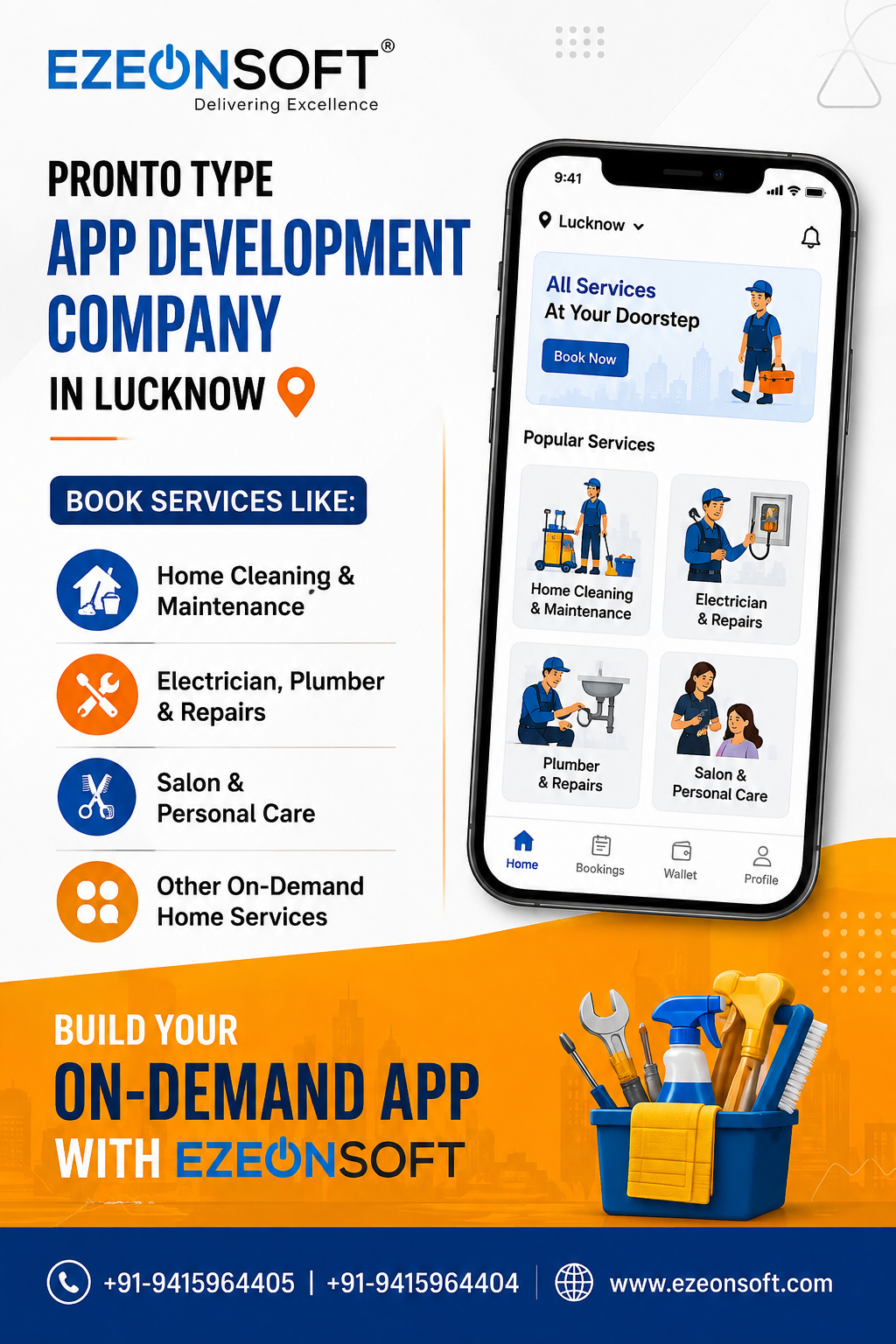
Also Know Cost, Features, Technology & Development Process, The demand for on-demand service applications is growing rapidly as customers increasingly prefer convenience, quick booking, and doorstep services. From home cleaning and plumbing to electrical repairs, beauty services, appliance maintenance, and other professional services, users now expect to find and book reliable service providers directly from their smartphones.
If you are planning to build an on-demand service marketplace similar to Pronto, choosing the right technology partner is one of the most important decisions for your business.
Ezeonsoft Technology is a custom mobile app development company in Lucknow that helps startups and businesses transform service-based business ideas into scalable digital platforms. We develop customer apps, service provider apps, admin panels, and complete backend systems based on specific business requirements.
In this article, we explain everything you should know about developing a Pronto-type app, including features, development process, timeline, technology stack, and cost factors.
What Is a Pronto-Type On-Demand Service App?
A Pronto-type app can be described as an on-demand service platform that connects customers with nearby professionals or service providers.
For example, a user may need:
- A plumber
- An electrician
- Home cleaning services
- AC repair
- Appliance repair
- Beauty services at home
- Car washing
- Pest control
- Other local professional services
Instead of searching manually for service providers, customers can use a mobile app to select a service, choose a date and time, make a booking, and track the service status.
The platform typically manages three major users:
- Customers
- Service Providers
- Business Administrators
A complete on-demand marketplace usually includes separate applications or interfaces for each of these users.
Why Are Businesses Investing in On-Demand Service Apps?
The service industry is becoming increasingly digital. Customers prefer platforms that allow them to quickly compare services, check availability, view pricing, and make bookings without multiple phone calls.
A custom on-demand app can help businesses:
- Reach more customers
- Automate service bookings
- Manage service providers
- Reduce manual work
- Track business performance
- Offer online payments
- Expand into multiple locations
- Build recurring customer relationships
For startups, an on-demand service app can also become a scalable marketplace business model where the platform earns revenue through commissions, service fees, subscriptions, advertisements, or premium listings.
However, the success of such an application depends on proper planning, user experience, technology architecture, and scalability.
Key Features Required in a Pronto-Type App
The exact features depend on your business model, but most professional on-demand service platforms require three major modules.
1. Customer Mobile App
The customer application should provide a simple and smooth booking experience.
Important features may include:
- User registration and login
- Mobile OTP verification
- Profile management
- Location selection
- Service category browsing
- Search functionality
- Service provider listing
- Service details
- Instant booking
- Scheduled booking
- Date and time selection
- Address management
- Online payment
- Wallet integration
- Booking history
- Push notifications
- Service status tracking
- Ratings and reviews
- Offers and coupons
- Customer support
The customer experience should be designed in a way that allows users to complete a booking with minimum steps.
2. Service Provider App
Service providers require a separate application or panel to manage their work.
Common features include:
- Registration and profile verification
- Service category management
- Availability status
- Accept or reject bookings
- Upcoming bookings
- Completed service history
- Customer details
- Navigation support
- Earnings dashboard
- Payment history
- Ratings and reviews
- Notifications
Depending on the business model, service providers may be individual professionals, agencies, or companies.
3. Admin Panel
The admin panel acts as the central control system for the entire platform.
Important admin features include:
- Customer management
- Service provider management
- Category management
- Service management
- Booking management
- Payment monitoring
- Commission management
- Coupon and offer management
- Location management
- Notification management
- Reports and analytics
- User support management
A well-developed admin panel helps business owners manage operations without depending on developers for daily activities.
Pronto-Type App Development Process at Ezeonsoft
At Ezeonsoft Technology, we believe that successful app development should not begin directly with coding.
A strong application starts with understanding the business model, users, workflow, and future scalability requirements.
Our development approach can be divided into the following phases.
Phase 1: Requirement Analysis and Business Planning
The first step is understanding your business idea.
During this phase, we identify:
- Target customers
- Target locations
- Service categories
- Revenue model
- Booking workflow
- Service provider workflow
- Admin requirements
- Payment requirements
- Future expansion plans
For example, a startup planning to launch in Lucknow may initially focus on one city. However, the platform architecture can be planned in a way that supports future expansion to multiple cities.
This planning phase helps avoid unnecessary development costs and feature changes later.
Phase 2: Feature Planning and MVP Strategy
Not every business needs to launch with every possible feature.
For startups, developing a Minimum Viable Product (MVP) can be a practical approach.
An MVP focuses on essential features required to validate the business idea.
For example:
- Customer registration
- Service categories
- Booking system
- Provider management
- Basic payments
- Admin dashboard
Advanced features such as AI recommendations, advanced analytics, subscriptions, and automation can be added later.
This phased approach helps startups control initial development costs while testing the market.
Phase 3: UI/UX Design
User experience plays a major role in the success of an on-demand application.
Before development, the app structure and user journey are planned.
This may include:
- Wireframes
- User flow
- Screen architecture
- Booking journey
- Navigation structure
- Interface design
The goal is to make the application simple for customers while keeping the management process efficient for service providers and administrators.
Phase 4: Backend and API Development
The backend is the core technology layer of an on-demand marketplace.
It handles:
- User authentication
- Database management
- Service listings
- Booking management
- Payment processing
- Notifications
- Provider management
- Business rules
- Admin operations
A scalable backend architecture is important because the number of users, bookings, and service providers may grow significantly over time.
Phase 5: Mobile App Development
After the design and backend architecture are finalized, mobile application development begins.
Depending on business requirements, the platform may include:
- Android application
- iOS application
- Cross-platform application
- Customer app
- Service provider app
Ezeonsoft evaluates the project requirements and recommends the most suitable technology approach.
For startups that want to launch on both Android and iOS efficiently, cross-platform technologies such as Flutter or React Native can be considered.
For applications requiring specific platform-level capabilities, native development using Kotlin or Swift may also be suitable.
Phase 6: Admin Panel Development
The admin dashboard is developed to help the business manage the entire platform.
The dashboard may allow administrators to:
- Add or remove service categories
- Approve service providers
- Monitor bookings
- Manage customers
- View payments
- Configure commissions
- Create promotional offers
- Send notifications
- Generate reports
The admin panel should be flexible enough to support daily business operations.
Phase 7: Third-Party Integrations
Modern applications often require integrations with external services.
Depending on project requirements, integrations may include:
- Payment gateways
- Google Maps
- Location services
- SMS and OTP services
- Push notifications
- Email services
- Analytics platforms
- Customer support systems
These integrations are selected based on business requirements and target markets.
Phase 8: Testing and Quality Assurance
Before launch, the application goes through multiple testing stages.
Testing may include:
- Functional testing
- User interface testing
- Device compatibility testing
- API testing
- Performance testing
- Security testing
- Booking workflow testing
- Payment testing
The goal is to identify potential issues before the application reaches real users.
Phase 9: Deployment and Launch
After testing is completed, the application is prepared for deployment.
Depending on the project, this may include:
- Production server setup
- Domain configuration
- Database deployment
- Google Play Store preparation
- Apple App Store preparation
- App listing support
After launch, the platform can be monitored for performance and user feedback.
How Long Does It Take to Develop a Pronto-Type App?
The development timeline depends on the number of features, platforms, integrations, and customization requirements.
A typical project may follow this approximate timeline:
| Development Phase | Estimated Timeline |
|---|---|
| Requirement Analysis & Planning | 1–2 Weeks |
| UI/UX Design | 2–3 Weeks |
| Backend Development | 3–6 Weeks |
| Customer App Development | 4–8 Weeks |
| Service Provider App | 3–6 Weeks |
| Admin Panel Development | 2–4 Weeks |
| Testing & Quality Assurance | 2–3 Weeks |
| Deployment | 3–7 Days |
A basic MVP can potentially be developed faster, while a large multi-city marketplace platform with advanced features may require additional time.
In many cases, a complete custom on-demand service platform may take approximately 3 to 6 months, depending on project complexity.
The most accurate timeline can only be determined after finalizing the feature list and technical requirements.
What Is the Cost of Developing a Pronto-Type App?
There is no single fixed cost for developing an on-demand service application.
The total development cost depends on multiple factors.
Basic MVP Development
A basic MVP may include:
- Customer app
- Basic service provider management
- Essential booking features
- Basic admin panel
- Payment integration
This option is suitable for startups that want to test their business idea before investing in a large platform.
Standard Marketplace Platform
A standard platform may include:
- Customer application
- Service provider application
- Advanced admin dashboard
- Payment system
- Notifications
- Location services
- Ratings and reviews
- Offers and coupons
- Reports
Advanced Enterprise Platform
An advanced platform may include:
- Multi-city operations
- Real-time service tracking
- Advanced analytics
- Automated workflows
- AI-powered recommendations
- Chatbot integration
- Subscription management
- Complex commission systems
- High scalability infrastructure
Major Factors That Affect App Development Cost
The development estimate may depend on:
- Number of mobile applications
- Android and iOS requirements
- Custom UI/UX design
- Number of features
- Backend complexity
- Real-time functionality
- Payment integrations
- Maps and location APIs
- AI features
- Third-party integrations
- Admin panel complexity
- Scalability requirements
At Ezeonsoft, we recommend discussing the business requirements first and preparing a feature-wise development roadmap before finalizing the project estimate.
This approach helps businesses understand where their investment is being used.
Technology Stack for Pronto-Type App Development
Choosing the right technology stack is important for performance, maintenance, and future scalability.
Depending on the project requirements, Ezeonsoft may use modern technologies such as:
Mobile App Development
- Flutter
- React Native
- Kotlin
- Swift
Backend Development
- Laravel
- PHP
- Node.js
- REST APIs
Database Technologies
- MySQL
- PostgreSQL
- MongoDB
Cloud and Infrastructure
- AWS
- Firebase
- Cloud-based hosting solutions
Third-Party Integrations
- Google Maps
- Payment Gateway APIs
- Firebase Cloud Messaging
- SMS and OTP APIs
- Analytics tools
The final technology stack should be selected based on the project requirements rather than using the same technology for every application.
AI Features That Can Be Added to an On-Demand App
Artificial Intelligence can improve user experience and business operations.
Depending on the platform, AI features may include:
- Smart service recommendations
- AI chatbot support
- Automated customer assistance
- Demand prediction
- Personalized offers
- Business analytics
- Provider matching
- Automated content generation
AI features do not always need to be included in the first version of the application.
A scalable architecture allows businesses to add advanced functionality as the platform grows.
Why Choose Ezeonsoft for On-Demand App Development in Lucknow?
Developing an on-demand marketplace requires more than simply creating mobile screens.
The platform needs a proper business workflow, backend architecture, user experience, and scalability strategy.
Ezeonsoft Technology focuses on understanding business requirements before starting the development process.
Our approach follows:
Understand → Plan → Design → Develop → Test → Launch → Scale
Our services include:
- Custom Mobile App Development
- Android App Development
- iOS App Development
- Flutter App Development
- React Native Development
- Custom Software Development
- Website Development
- Admin Dashboard Development
- API Development
- AI-Powered Application Development
- Startup MVP Development
We work with startups and businesses looking to build scalable digital products based on their specific requirements.
Can You Start With One City and Expand Later?
Yes. This is often a practical strategy for on-demand businesses.
Instead of launching in multiple cities immediately, businesses can start with one target location and validate their operations.
For example:
Phase 1: Launch in Lucknow
Phase 2: Expand to nearby cities
Phase 3: Build a multi-city marketplace
The technology architecture can be designed to support future expansion.
This approach helps businesses understand customer demand and operational challenges before scaling.
Frequently Asked Questions
How much does it cost to develop a Pronto-type app?
The cost depends on features, number of applications, design complexity, backend requirements, integrations, and scalability requirements. A detailed estimate can be prepared after understanding the complete project requirements. At Ezeonsoft, you can get a simple on-demand app starting from ₹90,000, while a more feature-rich and customized solution can cost up to ₹3 lakh or more, depending on your requirements.
How long does it take to build an on-demand service app?
A basic MVP may take less time, while a complete custom platform can take approximately 3 to 6 months depending on complexity. At Ezeonsoft, a basic on-demand service app can be developed within 2 months, while a fully customised and feature-rich platform may take up to 6 months, depending on the app’s complexity and requirements.
Do I need separate apps for customers and service providers?
In many on-demand business models, separate interfaces or applications are recommended because customers and service providers have different requirements and workflows.
Which technology is best for developing an on-demand app?
Flutter, React Native, Kotlin, Swift, Laravel, Node.js, and cloud technologies may be suitable depending on the project requirements.
Can I launch my app in one city first?
Yes. Launching in one city first can help validate the business model before expanding into multiple locations.
Can AI features be added later?
Yes. If the application architecture is properly planned, AI-powered features can be integrated in future development phases.
Can Ezeonsoft develop both the mobile app and admin panel?
Yes. Ezeonsoft can develop complete custom solutions including customer apps, service provider apps, backend APIs, and admin dashboards.
Build Your Pronto-Type On-Demand Service App with Ezeonsoft
If you are planning to launch an on-demand service marketplace, the first step should be defining your business model and required features.
A successful platform requires proper planning, user-friendly design, reliable technology, and a scalable development strategy.
Ezeonsoft Technology helps startups and businesses develop custom mobile applications and software solutions based on their unique requirements.
Whether you want to start with an MVP or build a complete multi-city on-demand marketplace, a structured development roadmap can help you move from idea to launch.
Looking for a Pronto-Type App Development Company in Lucknow?
Discuss your app idea with the Ezeonsoft Technology team and get a feature-wise development roadmap based on your business requirements.
Ezeonsoft Technology
Call: +91-9415964405 / +91-9415964404 / 0522-4954553
Website: www.ezeonsoft.com
Mail: info@ezeonsoft.com
Let's turn your on-demand service business idea into a scalable digital platform.

Why Every Business Needs a Professional Website
A professional website builds credibility ,attracts customers and helps businesses establish a strong online presence. Learn how a well designed website can increase engagement
.jpg)
Secure and reliable payment gateway integration simplifies transactions, improves customer trust, and enhances the overall shopping experience. Multiple payment options can a

Custom Website Development vs Ready-Made Templates
While ready-made templates offer quick deployment, custom website development provides better scalability, unique branding, improved performance, and flexibility to meet specific bus
.jpg)
E-commerce Trends That Will Shape Online Businesses
From AI-powered product recommendations and voice search to one-click checkout and personalized shopping experiences, modern e-commerce trends are transforming how businesses attract and retai

Why Every Business Needs a Mobile App in 2026
Mobile applications have become essential for businesses looking to improve customer engagement, increase sales, and provide seamless user experiences. A well-designed mobile app helps brands st